

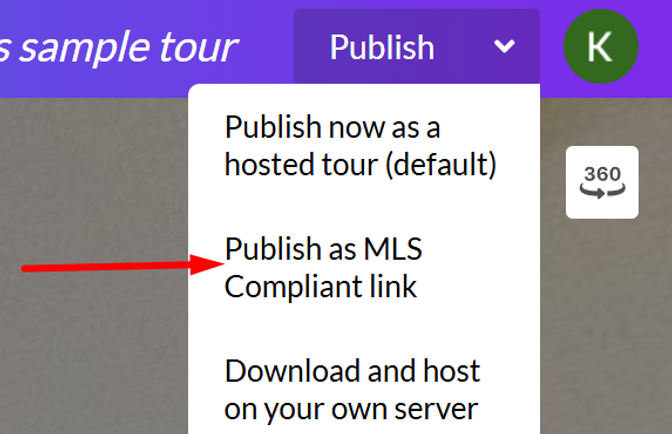
Inside your tour editor, click the dropdown arrow on the Publish button and select “Publish as MLS-Compliant Link.”
Then copy the generated link, which will look like this:https://app.cloudpano.com/tours/[shortId]?mls=1
You can now share this link with your clients, colleagues, or friends.